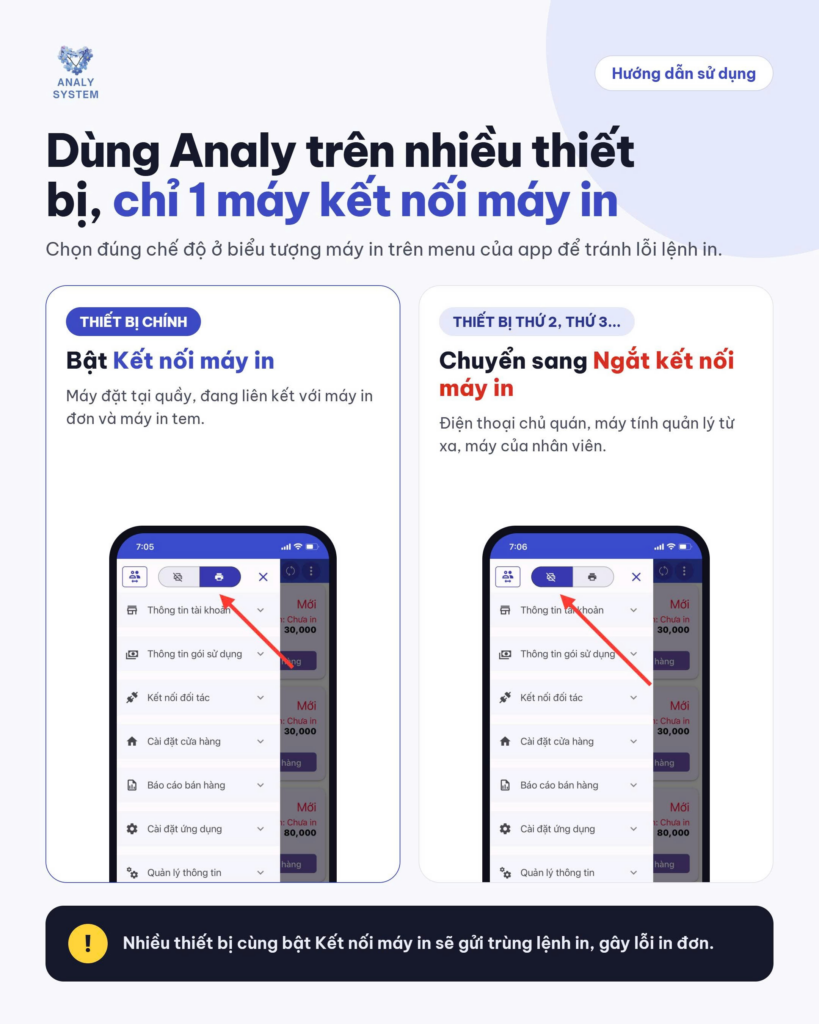
- Prepare:
Currently, the market has popular cash register screen models such as Sunmi, Ocha, Sapo... which can all install Analy and connect to the built-in bill printer. To perform this installation, you need to install the app on the POS machine first and follow these steps:
Step 1: Go to the Order printer settings section. Select the printer type as:
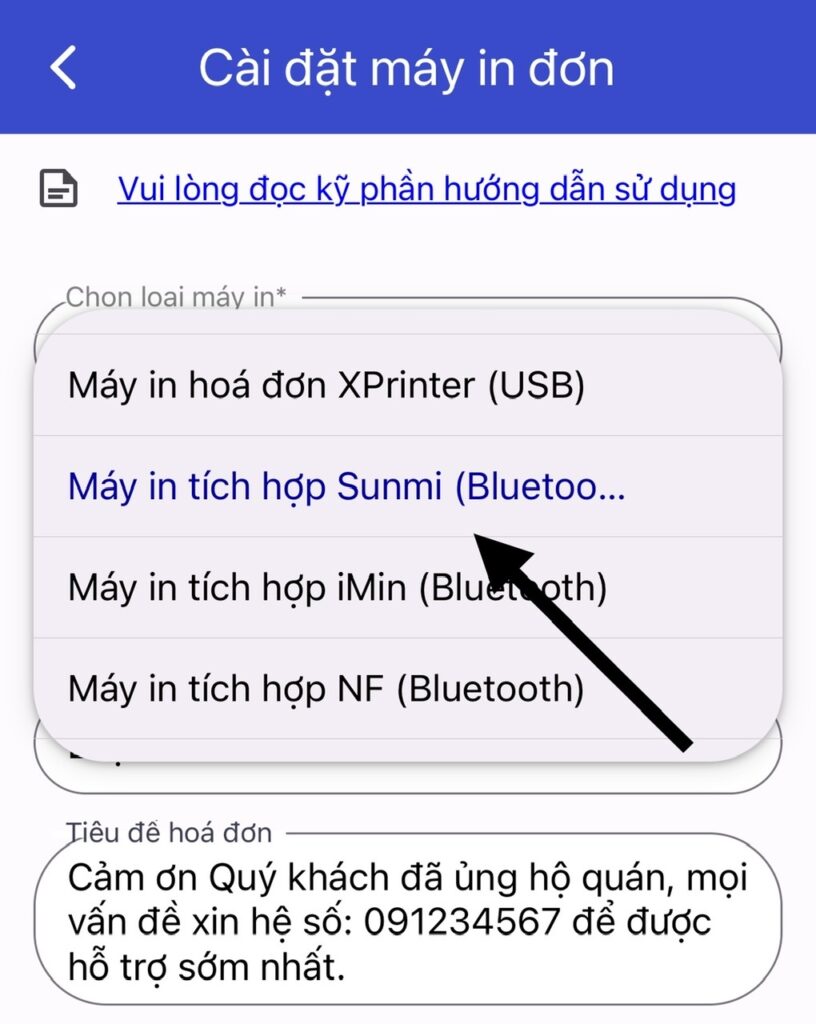
Step 2: Select the paper size 58mm or 80mm
Step 3: Print connection status check If successful =>Save
Bước 4: Thêm nội dung tiêu đề trên bill & Chọn cho phép in tự động =>Save
With this configuration, the text on the bill will appear smaller and thinner. To try a different text format while still ensuring the bill is printed automatically, the store can configure it as follows:
Note:
- Khi đăng nhập tài khoản Analy trên nhiều thiết bị, chỉ để chế độ kết nối máy in tự động trên thiết bị chính kết nối máy in. Tất cả thiết bị khác đều phải chuyển sang chế độ ngắt kết nối máy in.