
The offline QR payment code contains the store’s bank account information, the total order amount, and a description including the order code. This offline QR code does not incur a transaction fee based on the order value like the universal QR payment. However, it does not provide a successful payment status notification in the software. The store owner needs to check the transaction status directly in the banking app being used.
How to integrate the offline QR payment code:
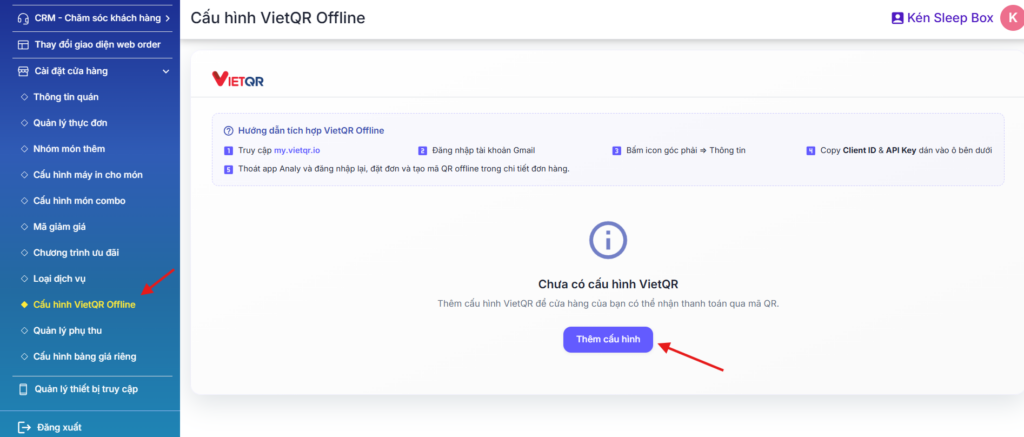
Bước 1.Mở trang quản lý cửa hàng tại 1 tab mới: https://store.analy.co/ => Và đăng nhập tài khoản Analy của quán.
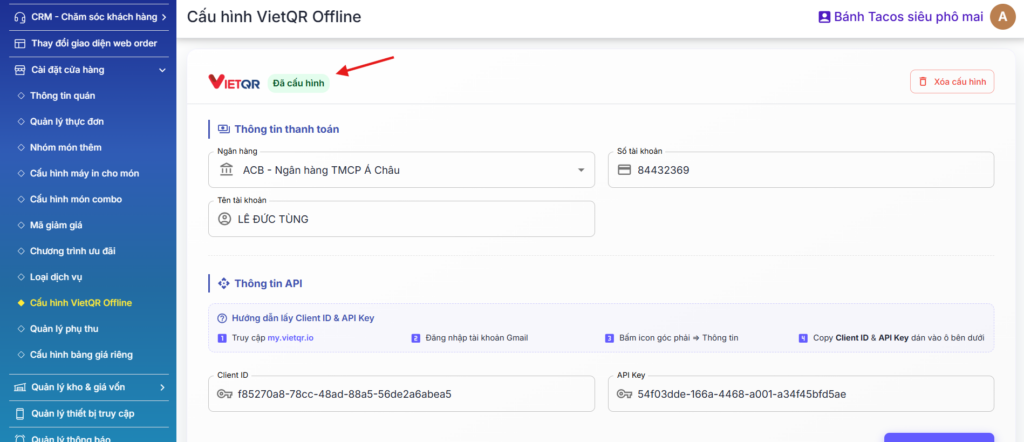
Vào mục Cài đặt cửa hàng => Cấu hình VietQR Offline & bấm Thêm cấu hình => Nhập thông tin thanh toán là số tài khoản mà quán muốn nhận tiền.
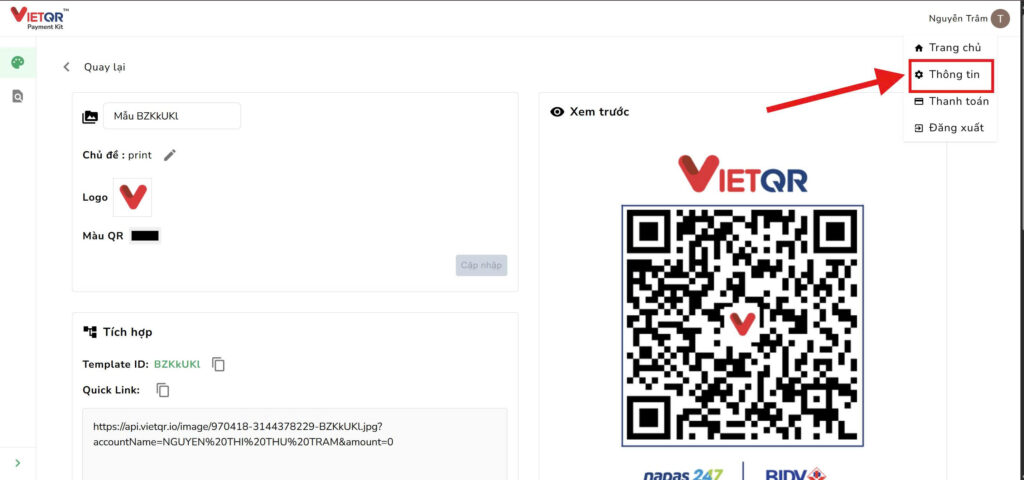
Bước 2: Mở trang my.vietqr.io ở 1 tab mới, để dàng thao tác qua lại 2 trang.
Bước 3: Đăng nhập tài khoản gmail => Bấm icon góc phải màn hình => bấm mục Thông tin
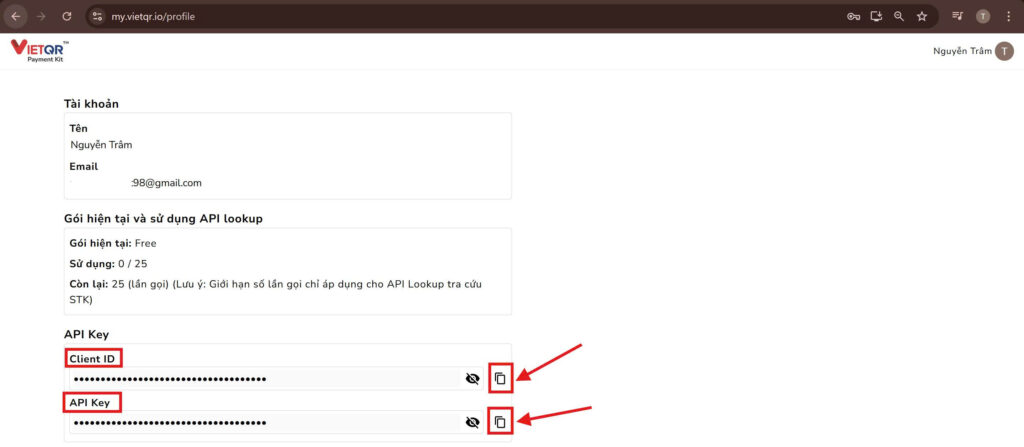
Bước 4: Kéo xuống dưới để copy 2 thông tin dưới đây
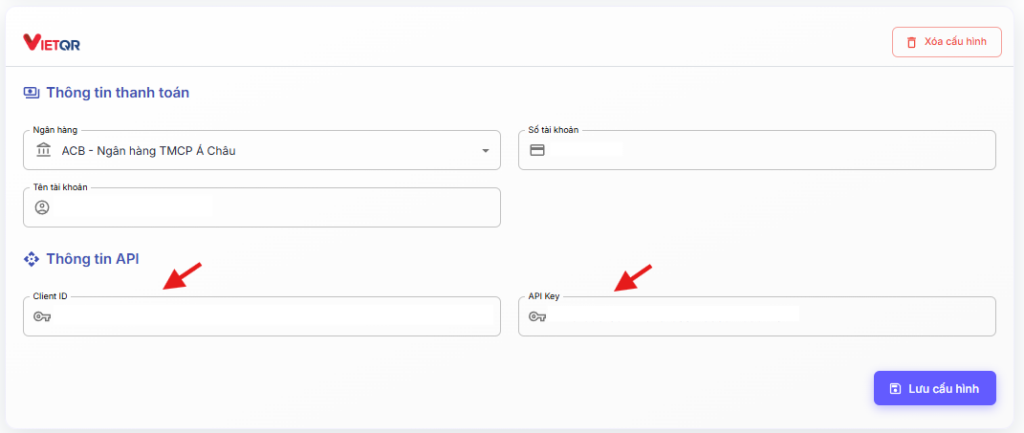
Và chuyển qua tab Mục Cấu hình VietQR Offline trên trang Quản lý cửa hàng => Dán 2 thông tin trên vào 2 ô bên dưới = bấm Lưu cấu hình
Hệ thống hiện trạng thái Đã cấu hình thế này là thành công:
After completing the configuration, you can:
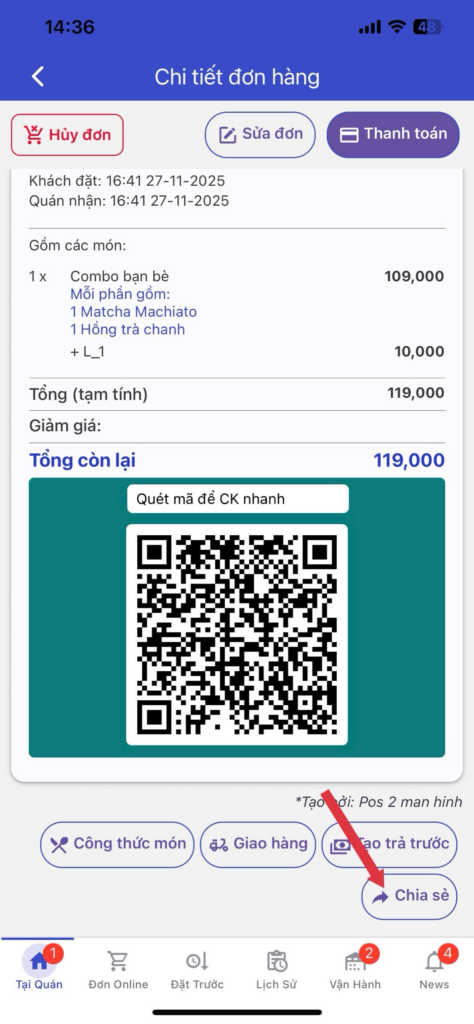
– Tap Place Order to generate an offline QR code below the order details → tap Share to send the order image to customers via Zalo, Facebook, or messaging apps. Customers simply download the image containing the QR payment code and upload it to their banking app to complete the payment quickly.
Instruction link: https://youtube.com/shorts/0AfmecVDSK8?feature=share
User guide
With offline QR payment codes, customers can make bank transfers more conveniently, while store owners can save on transaction costs.
Suitable for scenarios where customers need to pay immediately, as the QR payment code is printed instantly on the bill, or for online orders, where the store generates the QR payment code directly in the order details and shares it with the customer.
To use this feature, the account must have:
At resto feature: Allows the store to create direct sales orders for customers (including dine-in, takeaway, or delivery orders). After the store taps Place Order, an offline QR code can be generated from the order details.
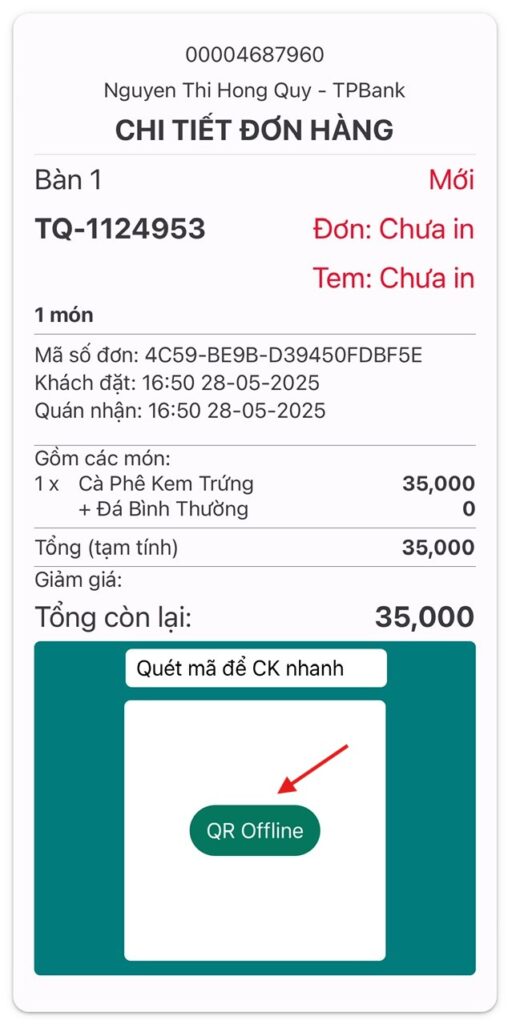
The store can tap the Share button to send the order image along with the QR payment code. When customers scan the QR code, all payment information will be automatically filled in.
Additionally, if the store uses a receipt printer, after generating the offline QR code and printing the order, the printed bill will also include the QR code as shown below.
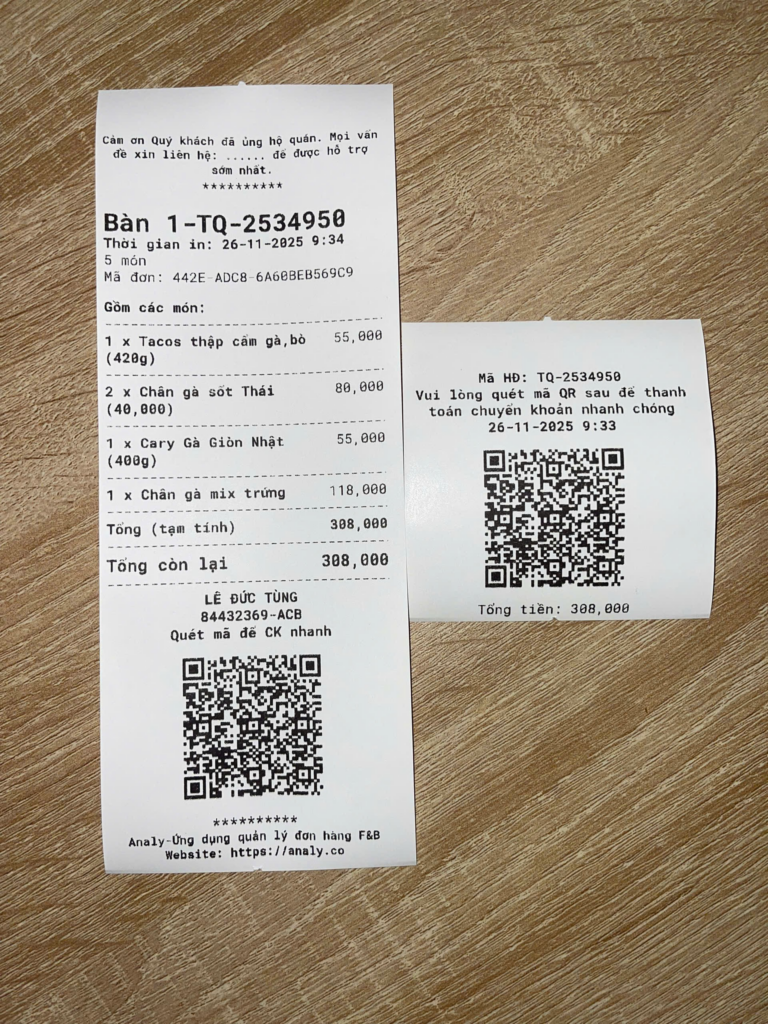
- Để in bill dạng dài (bên trái) có thông tin chi tiết của đơn hàng & mã QR offline, thực hiện như sau: Chọn món & Đặt đơn => vào chi tiết đơn hàng đó => bấm tạo mã QR offline => bấm in đơn.
- Để in bill dạng ngắn (bên phải) chỉ có mã QR và thời gian, thực hiện như sau: Chọn và bấm thanh toán ngay => chuyển sang tab CK/ thẻ offline => tạo mã QR offline => bấm In.
For any additional support, please message the support team directly on our Facebook page: Analy - F&B Order management application.