Nếu quán đang có nhiều tài khoản app như Grabfood, Shopeefood, Befood, Xanh Ngon….hoạt động cùng một địa điể, và muốn quản lý tập trung tất cả đơn hàng này vào cùng 1 hệ thống phần mềm Analy. Với tính năng cổng đăng nhập thêm của Analy, sẽ giúp quán tổng hợp toàn bộ thông tin ấy dễ dàng như sau:
- Your Analy account must be registered for the additional login portal feature in order to log in multiple app accounts under a single Analy account.
- Create separate manager accounts trên app Grab merchant, Shopee partner…như hướng dẫn đăng nhập ban đầu, sau đó mới sử dụng tài khoản đó đăng nhập lên Analy.
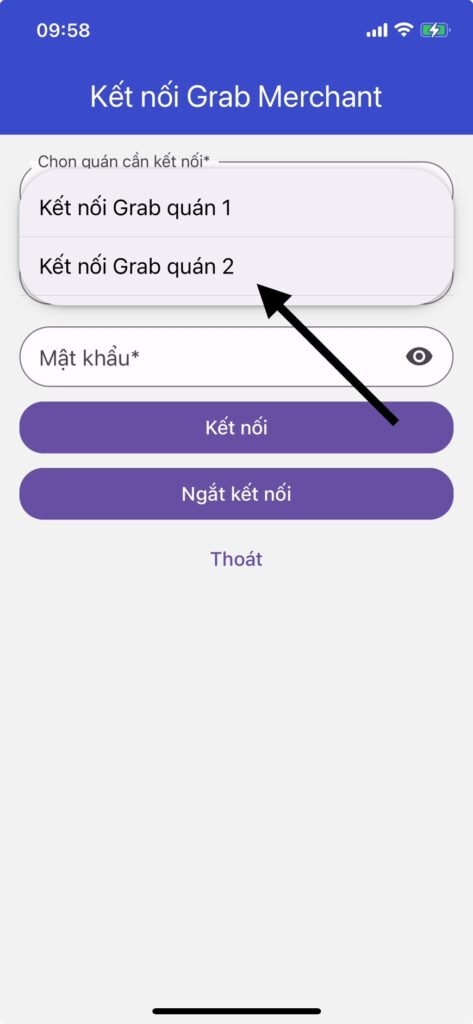
- Bấm vào ô Chọn quán cần kết nối, để chuyển qua thứ tự quán 2, 3……kết nối tiếp.
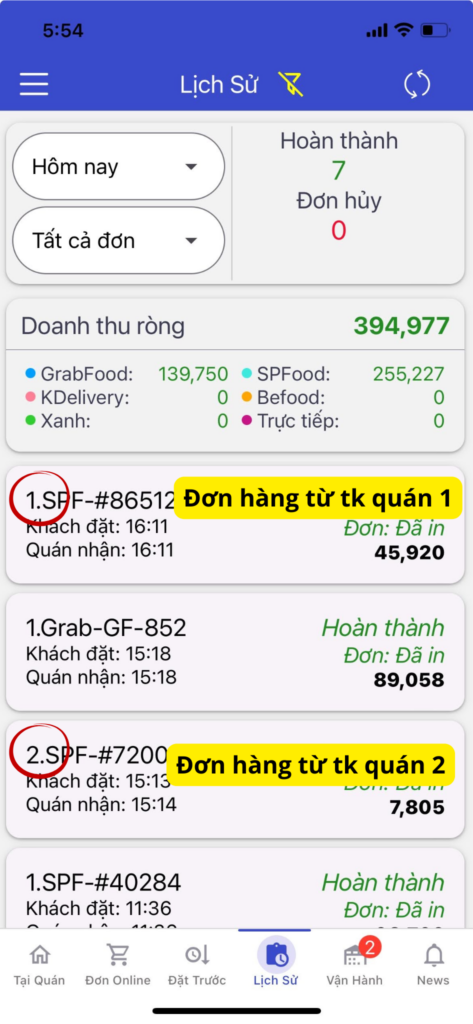
4. Mã số đơn hàng lúc này sẽ được cập nhật theo số thứ tự của cổng đăng nhập quán đó như sau, giúp quán dễ dàng theo dõi đơn hàng đến từ quán nào.
Note:
- Duplicate order code scenario: When logging multiple app accounts under a single Analy account, a situation may occur where Grab Store 1 has an order code GF-123 and Grab Store 2 also has an order with the same code GF-123 at the same time. The store should remind staff to carefully check the store name on the printed bill before handing the order to the driver.
- In the Order history section: This shows the net revenue from all linked accounts.
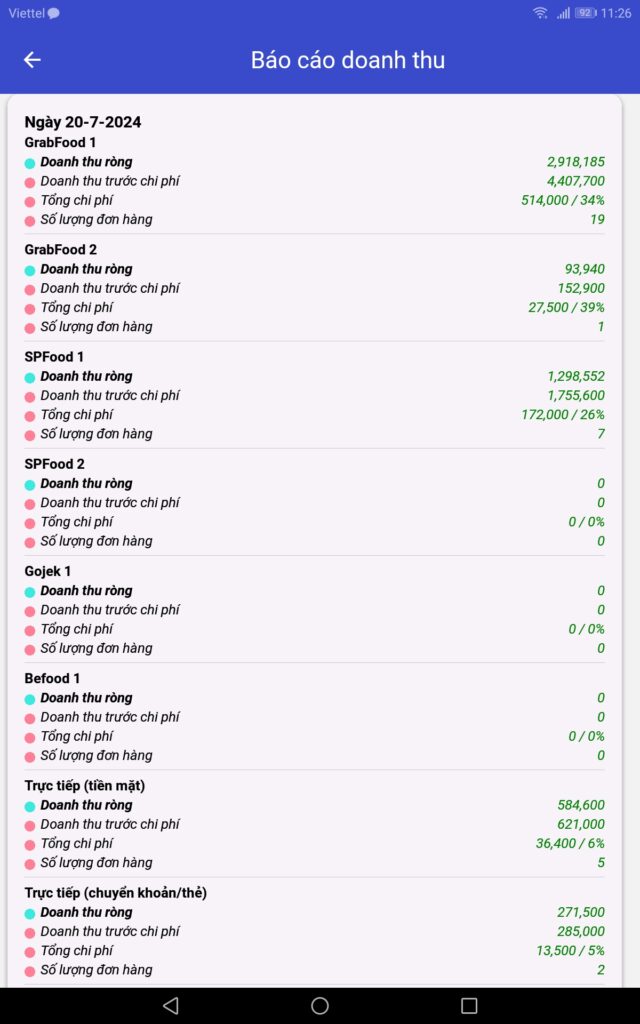
- In the Sales report section: You can view detailed revenue by individual store.
- You can also view detailed revenue reports, export data, and configure auto reporting at the store management portal: https://store.analy.co
- Nếu thấy thông báo: “Một trong các đối tác của quán đang bị mất kết nối….” mà không biết quán thứ mấy bị mất kết nối thì bấm vào từng quán để kiểm tra xem tình trạng.
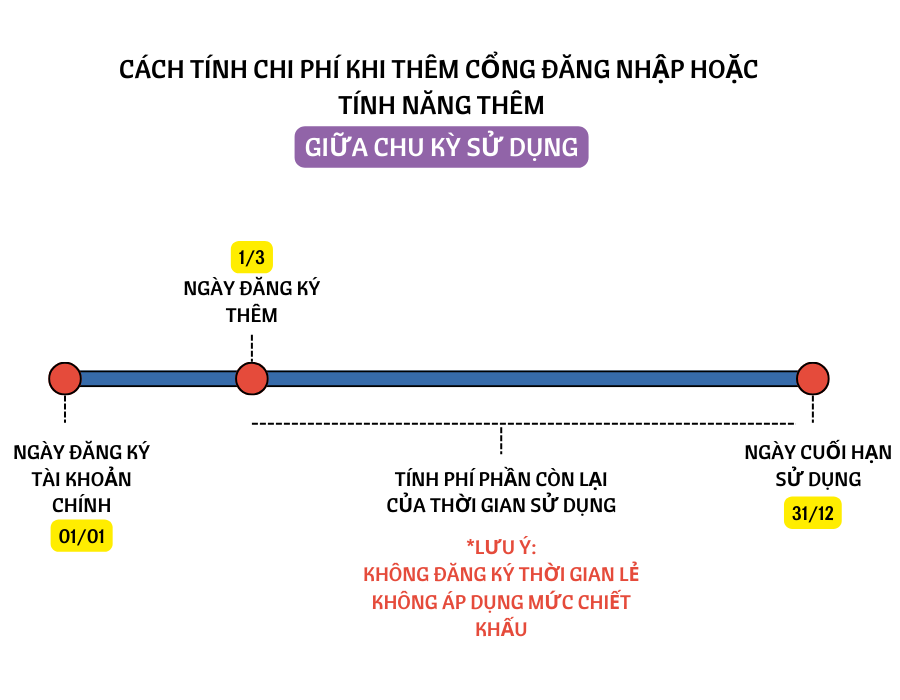
3. Cách tính phí thêm cổng đăng nhập giữa chu kì sử dụng sẽ là: Phí của cổng đăng nhập đó /tháng x thời gian sử dụng còn lại của tài khoản.